We just spent the weekend in the spa town of Leukerbad. It was a totally relaxing time and very easy by train/bus from Geneva. Here are the photos from our walk around the lake up at Gemmi.
Sunday, October 29, 2006


Wednesday, October 25, 2006
Making the AIX shell more friendly
To make the standard korn shell more friendly, you can edit your .profile with the following settings:
Note, to get control in vi ctrl-v (keep this down when typing the next character).
This will now give you the use of the up and down arror keys as well as the backspace key for editing commands. This much easier than using ctrl-h and all the standard keystrokes.
set -o emacs

stty erase ^?

alias __A='^P"
alias __B='^N"
alias __C='^F"
alias __D='^B"
Note, to get control in vi ctrl-v (keep this down when typing the next character).
This will now give you the use of the up and down arror keys as well as the backspace key for editing commands. This much easier than using ctrl-h and all the standard keystrokes.
Tuesday, October 24, 2006
Changing a database replica id on AIX
There has been a utility floating around to change a Lotus Notes database's replica id for some time. I recently migrated a company to AIX 5.3 from another platform to run Domino 7.0.2. Here is a simple HOWTO get up and running to compile with the Notes API on AIX 5.3.
Upload the NotesApi tool kit from the Lotus Developer Domain (under toolkits).
Uncompress and extract the tar file to /yourmount/notesapi
Make sure the notes user owns these files and any links
chown –r notes:notes /yourmount/notesapi
Create a link under /opt/ibm/lotus
cd /opt/ibm/lotus
ln -s /yourmount/notesapi notesapi
chown notes:notes notesapi
Change to the notes user with their profile
su - notes
Create a script to set all the environment variables
server:/home/notes$ cat setenv
#!/usr/bin/ksh
LOTUS=/opt/ibm/lotus; export LOTUS
NOTES_DATA_DIR=/yourmount/domino/data; export NOTES_DATA_DIR
Notes_ExecDirectory=$LOTUS/notes/latest/ibmpow; export Notes_ExecDirectory
PATH=$PATH:$NOTES_DATA_DIR:$Notes_ExecDirectory; export PATH
Source the file before running any compilations
server:/home/notes$ . setenv
compile the intro sample as a test
cd /yourmount/notesapi/sample/basic/intro
make -f aix.mak
You can now compile any notesapi program.
The chrepid.c example is available for download here:
chrepid.c
chrepid make
chrepid compiled program
Upload the NotesApi tool kit from the Lotus Developer Domain (under toolkits).
Uncompress and extract the tar file to /yourmount/notesapi
Make sure the notes user owns these files and any links
chown –r notes:notes /yourmount/notesapi
Create a link under /opt/ibm/lotus
cd /opt/ibm/lotus
ln -s /yourmount/notesapi notesapi
chown notes:notes notesapi
Change to the notes user with their profile
su - notes
Create a script to set all the environment variables
server:/home/notes$ cat setenv
#!/usr/bin/ksh
LOTUS=/opt/ibm/lotus; export LOTUS
NOTES_DATA_DIR=/yourmount/domino/data; export NOTES_DATA_DIR
Notes_ExecDirectory=$LOTUS/notes/latest/ibmpow; export Notes_ExecDirectory
PATH=$PATH:$NOTES_DATA_DIR:$Notes_ExecDirectory; export PATH
Source the file before running any compilations
server:/home/notes$ . setenv
compile the intro sample as a test
cd /yourmount/notesapi/sample/basic/intro
make -f aix.mak
You can now compile any notesapi program.
The chrepid.c example is available for download here:
chrepid.c
chrepid make
chrepid compiled program
Thursday, September 07, 2006

Monday, September 04, 2006
First Surf Lesson

Although I was born in Hawaii, today was my first ever surf lesson and I really enjoyed it. Thanks to Learn to Surf Noosa.
Sunday, September 03, 2006
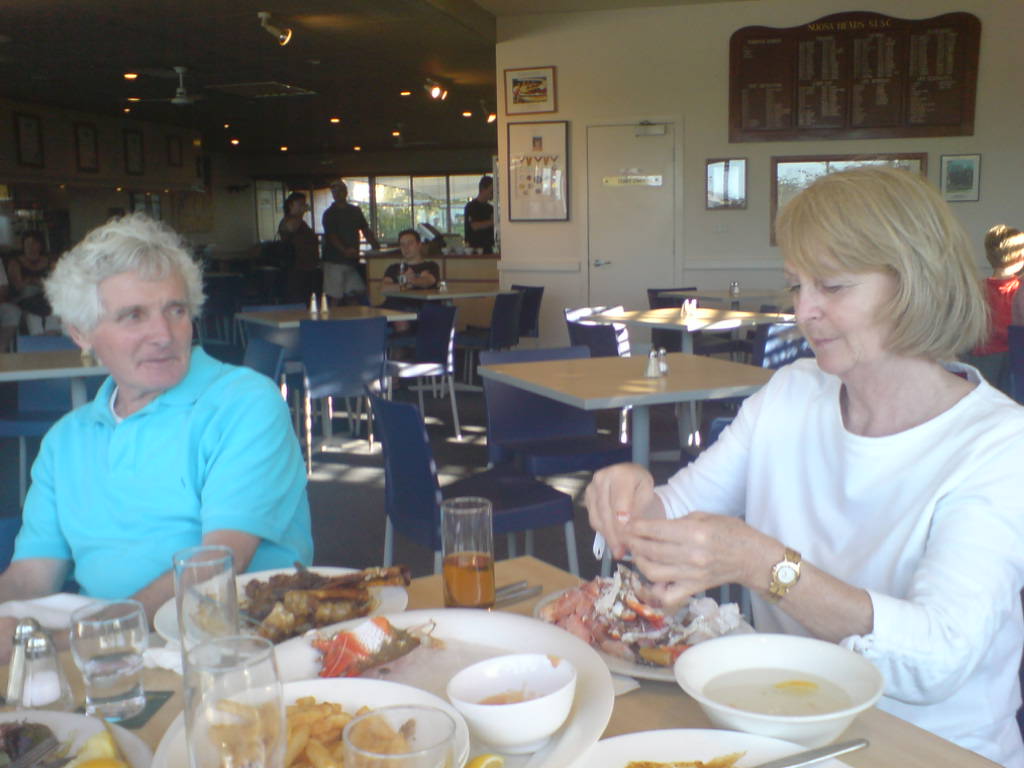
Saturday, September 02, 2006
Noosa

We are having a nice weekend away in Noosa. This was taken in Nooseville at the Noosa Pacific resort.
Monday, August 14, 2006
Retrospective Spam Filter
As a good spamcop user, I like to report all the spam that slips through the black lists and filters. That way, making sure the network admins know about any open relays they might have while building the black lists. However, a lot of spam comes through over night and I get a full inbox in the morning. When I report most of these, they have already been black listed. So, I thought it would be best to write a script that would check to see if these had already been listed and filter based on this. This way, even if the spam slipped through the black list on the first try, eventually it would be listed and filtered out of the inbox after the fact. This code seems to be working well for my inbox so I thought I should share it for all Lotus Notes and Ruby users:
require 'win32ole'
require 'socket'

@application = WIN32OLE.new('Notes.NotesSession')

def check_file(server, mail)
@database = @application.GetDatabase(server, mail)
@database.Open(server, mail) unless @database.IsOpen
@view = @database.GetView('($InBox)')


dnsbls = %w{bl.spamcop.net cbl.abuseat.org}

count = @view.TopLevelEntryCount
count.times do |index|
      doc = @view.GetNthDocument(index+1)
      spamdocs = []

      doc.GetReceivedItemText.each do |t|
       start = t.split(/[()]/)
       start[1] =~ /(\d+).(\d+).(\d+).(\d+)/
         dnsbls.each do |dnsbl|
   begin
   var = Socket.getaddrinfo "#$4.#$3.#$2.#$1.#{dnsbl}", 0
   puts var[0][2]

   if var[0][2] =~ /127.0/
    puts "Access denied for #{start[1]} by #{dnsbl}"
    spamdocs << doc
   end
   rescue
   end
  end
      end

      spamdocs.each do |doc|
       doc.RemoveFromFolder("($InBox)")
       doc.PutInFolder("($JunkMail)")
 end

end
end


check_file('www/projectlounge',"mail/iconnor.nsf")
Saturday, August 12, 2006
Happy birthday and anniversary Dowds

We went out to Ecco for dinner with the Dowds to celebrate 38 year anniversary and Tack's birthday.
We all had a wonderful night and thanks to the staff at Ecco for making it such a pleasant night.
Saturday, July 22, 2006
Installing Ubuntu on a Dell PowerEdge without a CD drive
I recently purchased a very basic DELL in Australia. In the USA, it is impossible to buy a DELL server without a CD ROM and after buying a few there for various reasons, I did not think to ask when ordering the one on the phone. Well, let me assure you, no other CD drive I could get my hands on would actually work and the support staff at DELL were of no help. I even managed to get a DELL CD from a friends PC but it would not work in the server either - the server was just too fussy.
Before sending it back, I thought I would give it one last shot and purchased a 1GB USB key from a local computer dealer. Then downloaded a ubuntu ISO for a CD install. After a few trial and errors and searching on the internet, I think I have the actual instructions to get it working. Although, I am no linux kernel hacker, here goes:
1. Download the ISO that you want (in my case ubuntu 6.06 desktop)
2. Download the syslinux tool for windows (syslinux latest)
3. Optional USB format utility (from HP)
4. Copy the CD contents to your USB device
5. Unzip the syslinux and run it against your USB drive (syslinux.exe -f F:) from the win32 directory of syslinux
6. Copy these files to the root of the USB
7. Then edit the syslinux.cfg so that the vmlinux and initrd.gz now point to the root
e.g.
8. Eject the USB and you can now boot from it as soon as you go into the BIOS settings on the DELL server (F2 at boot) and set the boot order to allow the USB device to boot as a priority
Before sending it back, I thought I would give it one last shot and purchased a 1GB USB key from a local computer dealer. Then downloaded a ubuntu ISO for a CD install. After a few trial and errors and searching on the internet, I think I have the actual instructions to get it working. Although, I am no linux kernel hacker, here goes:
1. Download the ISO that you want (in my case ubuntu 6.06 desktop)
2. Download the syslinux tool for windows (syslinux latest)
3. Optional USB format utility (from HP)
4. Copy the CD contents to your USB device
5. Unzip the syslinux and run it against your USB drive (syslinux.exe -f F:) from the win32 directory of syslinux
6. Copy these files to the root of the USB
vmlinuz (kernel binary) from "casper\vmlinuz"
initrd.gz (initial ramdisk image) from "casper\initrd.gz"
syslinux.cfg (SYSLINUX configuration file) rename and copy from "isolinux\isolinux.cfg"
7. Then edit the syslinux.cfg so that the vmlinux and initrd.gz now point to the root
e.g.
 DEFAULT /casper/vmlinuz
GFXBOOT bootlogo
GFXBOOT-BACKGROUND 0xB6875A
APPEND   boot=casper initrd=/casper/initrd.gz ramdisk_size=1048576 root=/dev/ram
rw quiet splash --
....Becomes....
 DEFAULT vmlinuz
GFXBOOT bootlogo
GFXBOOT-BACKGROUND 0xB6875A
APPEND   boot=casper initrd=initrd.gz ramdisk_size=1048576 root=/dev/ram
rw quiet splash --
8. Eject the USB and you can now boot from it as soon as you go into the BIOS settings on the DELL server (F2 at boot) and set the boot order to allow the USB device to boot as a priority
Monday, July 10, 2006
Disposable email, spamcop and a trap
I will never be afraid to give out my email address again. Well, maybe not my actual address, but I will give away my sneakemail address. This service (http://sneakemail.com), will allow you to generate a random looking email address like "a9svgun0211@sneakemail.com" that you can safely give out. It is a disposable address that you can use to sign up for a given site, tag it for that purpose and then if you get any spam from that site, delete the address.
However, I have recently taken this one step further. I have created a spamtrap address that will automatically report spam to spamcop and blacklist the IP address of the hosting servers. So, instead of deleting the address, I simply re route it to the spam trap and increase the power of the blacklist.
Requires tools:
1. Sneakemail (free accounts available)
2. Spamcop reporting account
3. Automatic report account - the trap account (Thunderbird Reporter or Lotus Notes reporter )
Then you can use your disposable email addresses as you need and have them divert to the spam trap if they start to get spammed.
However, I have recently taken this one step further. I have created a spamtrap address that will automatically report spam to spamcop and blacklist the IP address of the hosting servers. So, instead of deleting the address, I simply re route it to the spam trap and increase the power of the blacklist.
Requires tools:
1. Sneakemail (free accounts available)
2. Spamcop reporting account
3. Automatic report account - the trap account (Thunderbird Reporter or Lotus Notes reporter )
Then you can use your disposable email addresses as you need and have them divert to the spam trap if they start to get spammed.
Friday, June 30, 2006
Brisbane in the morning

It is a little pleasure to be working away with such a nice view in the background. I am not sure it makes the code any better but it certainly is nice to glance at from the keyboard to refocus the eyes every so often.
Wednesday, June 28, 2006
LotusScript to restore removed QuickPlace
This is a LotusScript button that the QuickPlace SU administrator can run on a server to restore a QuickPlace that has been removed with QPTool. It goes through and changes all the titles of the place back to their original one before being marked as [Pending Deletion].
Dim s As notessession
Dim server As String
Dim placename As String
Sub Click(Source As Button)
 Set s = New  notessession

 placename = "yourplacename"
 server = "yourserver/projectlounge"

 Print "Starting in main room"
 Call  restoredb(placename, "quickplace/"+placename+"/main.nsf")

End Sub

Sub restoredb(roomtitle, roompath)
 Dim roomdb As NotesDatabase
 Dim roomview As notesview

 Set roomdb = s.GetDatabase(server, roompath)
 If roomdb.IsOpen = False Then
  Call roomdb.Open(server, roompath)
 End If
 roomdb.Title = roomtitle
 Print "Set title: " + roomtitle

 Set roomview = roomdb.GetView("System\Subrooms")
 Dim doc As NotesDocument
 Set doc = roomview.GetFirstDocument
 While Not (doc Is Nothing)
  Dim iroomtitle As String
  Dim iroomfile As String

  iroomtitle = doc.GetItemValue("h_Name")(0)
  iroomfile = doc.GetItemValue("h_LocDbName")(0)

  Print "Working on: " + iroomfile
  Call restoredb(iroomtitle, "quickplace/"+placename+"/" + iroomfile)

  Set doc = roomview.GetNextDocument(doc)
 Wend
End Sub
Sunday, June 25, 2006
RoR authentication with IBM Notes/Domino
This is a very simple authentication system for a Ruby on Rails server in the same internet domain. It will allow you to get back the username of the person hitting your server provided they already have authenticated with an IBM Lotus/Domino or Websphere server that uses multi-server based session authentication.
IBM Domino/Websphere authentication works by placing an encrypted cookie for a given domain. There are a number of ways to find out what this cookie means.
For instance, you could either:
1. Decrypt the cookie using the secret key in the domino directory; or
2. Pass that cookie along to a live domino server and get back the username.
In this example, we are going to use the second option. This means we take that cookie and then pass it to an IBM server to check the authentication.
The cookie is stored in as LTPA token. Here is the ruby on rails code:
On the domino side, you just need to create a database and then a page within the database that has a field returning @username().
This will then return the full username. If you are using QuickPlace for instance, you will get back something like "CN=user/OU=placename/OU=QP/O=certifier" and you can deal with this as you like in your ruby code.
IBM Domino/Websphere authentication works by placing an encrypted cookie for a given domain. There are a number of ways to find out what this cookie means.
For instance, you could either:
1. Decrypt the cookie using the secret key in the domino directory; or
2. Pass that cookie along to a live domino server and get back the username.
In this example, we are going to use the second option. This means we take that cookie and then pass it to an IBM server to check the authentication.
The cookie is stored in as LTPA token. Here is the ruby on rails code:
require 'open-uri'

module DominoAuthenication

  public
  # accesses the current user from the session.
  # overwrite this to set how the current user is retrieved from the session.
  # To store just the whole user model in the session:
  #
  #   def current_user
  #     session[:user]
  #   end
  #
  def current_user
    if session[:user]
      @current_user ||= session[:user]
    else
      begin
      tokenstring = "LtpaToken="
      tokenstring = tokenstring + cookies[:LtpaToken] if cookies[:LtpaToken]
      OpenURI.open_uri('http://[your domino server here]/[your database]/[some page that returns the username]',
        "Cookie" => tokenstring) do |http|
        @current_user = http.read.strip
      end
      #rescue
      end
    end
  end
end
On the domino side, you just need to create a database and then a page within the database that has a field returning @username().
This will then return the full username. If you are using QuickPlace for instance, you will get back something like "CN=user/OU=placename/OU=QP/O=certifier" and you can deal with this as you like in your ruby code.
Wednesday, June 14, 2006
Ruby Skype Bot
Here is a very simple Ruby Script that will reply to anything anyone says to you.
It requires the Skype ActiveS dll to be registered. The ActiveS site does not have the dll in the latest MSI so, I was able to download it here and make it available for people to register.
require 'win32ole'

oSkype = WIN32OLE.new('SKYPEAPI.Access')
puts "Version: #{oSkype.Version}"
oSkype.Connect()

puts "Getting events"
ev = WIN32OLE_EVENT.new(oSkype, '_IAccessEvents')

ev.on_event('ChatMessageReceived') do |msg|
  to = msg.MessageFrom.Handle
  puts "#{to} said: #{msg.Body}"
  if to != oSkype.CurrentUserHandle
    response = "OMG, I can't believe you just said '#{msg.Body}'"
    oSkype.SendMessage(to, response)
  end
end

# infinite loop to keep the script alive
loop do
  WIN32OLE_EVENT.message_loop
end
It requires the Skype ActiveS dll to be registered. The ActiveS site does not have the dll in the latest MSI so, I was able to download it here and make it available for people to register.
Monday, June 12, 2006
Being stalked by click torrent girls

In the past few weeks, I have been in Dublin Ireland, Cork Ireland, London UK, Bad Homburg Germany, Dubai UAE, Sydney Australia and Brisbane Australia and have connected to a torrent web site in each location to catch up on my shows.
I know it is probably not the best way to get TV shows, as is shown by the quality of advertisers that support their site. However, click torrent has to take the cake here.
In each of these location, it has show the exact same girls as "in my area" that want to meet me. Same photo, same clothes, same girls - just the names and locations change. If I didn't know better, I would have thought these women are traveling around the world stalking me under different aliases. For instance, in Germany, they had German names and were staying in the same place "Bad Homburg" - a small town near Frankfurt that has one main shopping street and not much going on (sorry but the toscana pizza place is very nice mind you).
However, how dishonest can this advertising get and how ignorant do they think the male population is? These girls are not in my area, are not wanting to meet me, and have nothing to do with the shows I am downloading. I am not the biggest fan of the google adwords but at least I am not getting totally lied to in a spam like manner.
Saturday, June 10, 2006
Ruby on Rails: Open source project collaboration
ProjectLounge Lite is a ruby on rails based project collaboration tool. It has calendars, tasks list (with Gantt view), document sharing and member management. There is a hosted version at http://www.projectlounge.com and also the full source code is available for download and use under LGPL.
read more | digg story
read more | digg story
Friday, June 09, 2006
ProjectLounge Lite released to open source
It has been a few months coming, but we have finally released all our code into the glory of LGPL open source. The open access SVN repository is open and available for anonymous read access. If anyone wants to contribute code, please contact me with what you want to add.
The svn URL is svn://svn.projectlounge.com/open/light and I will be updating a project home page soon.
There is also going to be a simple one click install via the Instant Rails framework.
If all this code seems a little too much, you can see a hosted version at: http://www.pllite.com/projects/new to create your own project there. The access code is currently "pl124" but this will change to a captcha eventually.
The next few weeks will see a lot more development, so please if you are interested in contributing to an open source project that helps people get out of email and collaborate online about projects, please let me know.
The svn URL is svn://svn.projectlounge.com/open/light and I will be updating a project home page soon.
There is also going to be a simple one click install via the Instant Rails framework.
If all this code seems a little too much, you can see a hosted version at: http://www.pllite.com/projects/new to create your own project there. The access code is currently "pl124" but this will change to a captcha eventually.
The next few weeks will see a lot more development, so please if you are interested in contributing to an open source project that helps people get out of email and collaborate online about projects, please let me know.
Tuesday, June 06, 2006
Cool Tip to Beat Procrastination
A "life hack" tip for how to stop being a procrastinator. The basic idea is to just do the task for 10min to get over the procrastination urge. I will try this with my next task ... right after I read through my blogbridge :)
read more | digg story
read more | digg story
Monday, June 05, 2006
Web 2.0 Has Corporate America Spinning
The array of new tools that foster online collaboration -- and could revolutionize business and we have a blog entry here about it read more | digg story
Subscribe to:
Posts (Atom)